CyberDefenders - Hunter
Table of Contents
Scenario
Case Overview: The SOC team got an alert regarding some illegal port scanning activity coming from an employee's system. The employee was not authorized to do any port scanning or any offensive hacking activity within the network. The employee claimed that he had no idea about that, and it is probably a malware acting on his behalf. The IR team managed to respond immediately and take a full forensic image of the user's system to perform some investigations.
There is a theory that the user intentionally installed illegal applications to do port scanning and maybe other things. He was probably planning for something bigger, far beyond a port scanning!
It all began when the user asked for a salary raise that was rejected. After that, his behavior was abnormal and different. The suspect is believed to have weak technical skills, and there might be an outsider helping him!
Your objective as a soc analyst is to analyze the image and to either confirm or deny this theory.
Category: Endpoint Forensics
Tools: - AccessDataFTKImager - Registry Explorer/RECmd - Reg Ripper "Windows" - Reg Ripper "Linux" - DCode - ShellBags Explorer - DB Browser for SQLlite - WinPrefetchView - JumpList Explorer - 010 Editor - SysTools Outlook PST Viewer 4.5.0.0. - Autopsy - Hindsight - Arsenal Image Mounter - LinkParser v1.3
Questions
Q1: What is the computer name of the suspect machine?
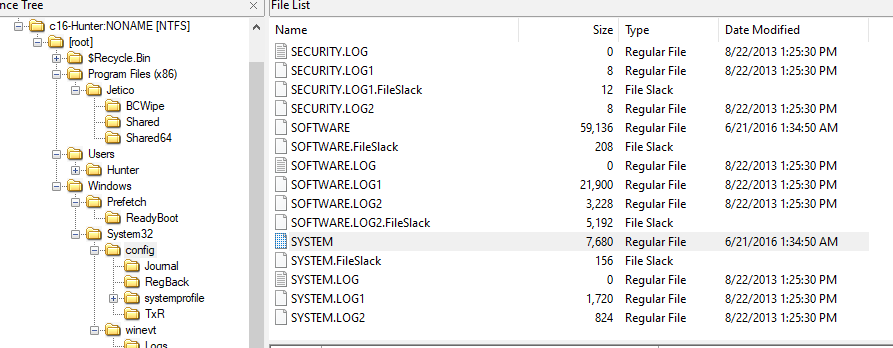
First thing that came to my mind is this registry key HKEY_LOCAL_MACHINE\SYSTEM\CurrentControlSet\Control\ComputerName\ComputerName that hold an information about a computer including its name
So we need to extract SYSTEM hive
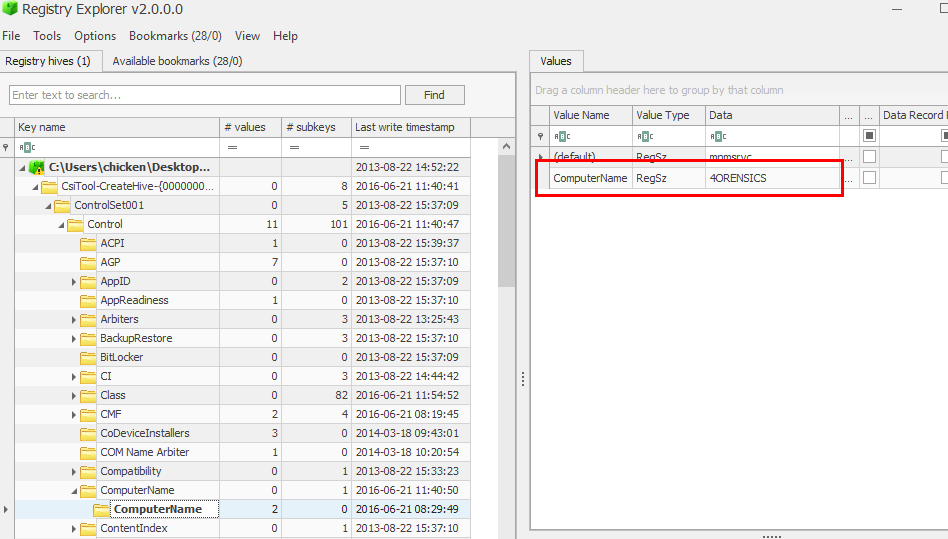
Then use whatever registry tool, you prefered to inspect this key
4ORENSICS
Q2: What is the computer IP?
This information could be found on this registry key HKEY_LOCAL_MACHINE\SYSTEM\CurrentControlSet\Services\Tcpip\Parameters\Interfaces\ that hold an information about networking interface of a computer
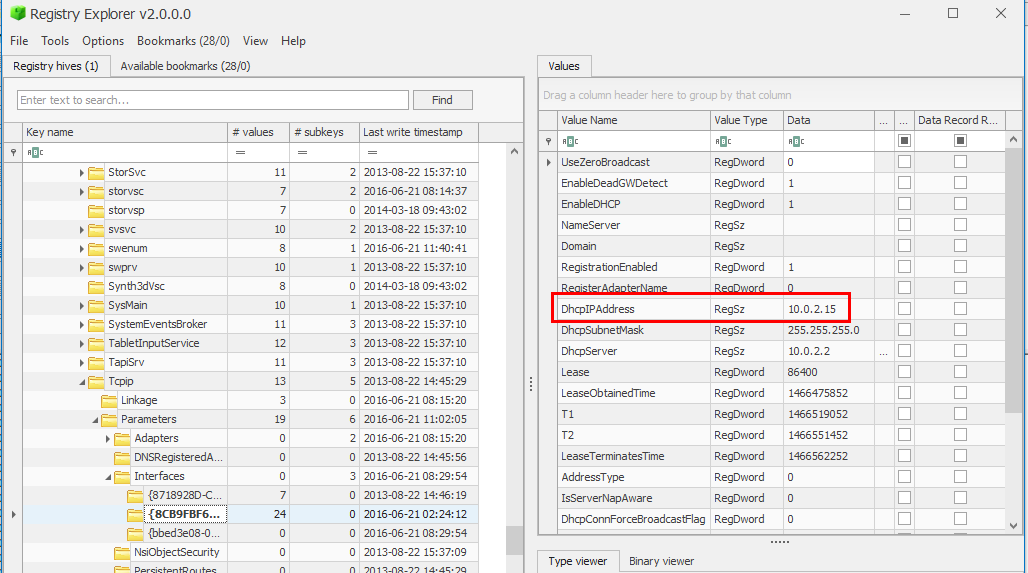
Its an IP that obtained from DHCP so it has to be this one
10.0.2.15
Q3: What was the DHCP LeaseObtainedTime?
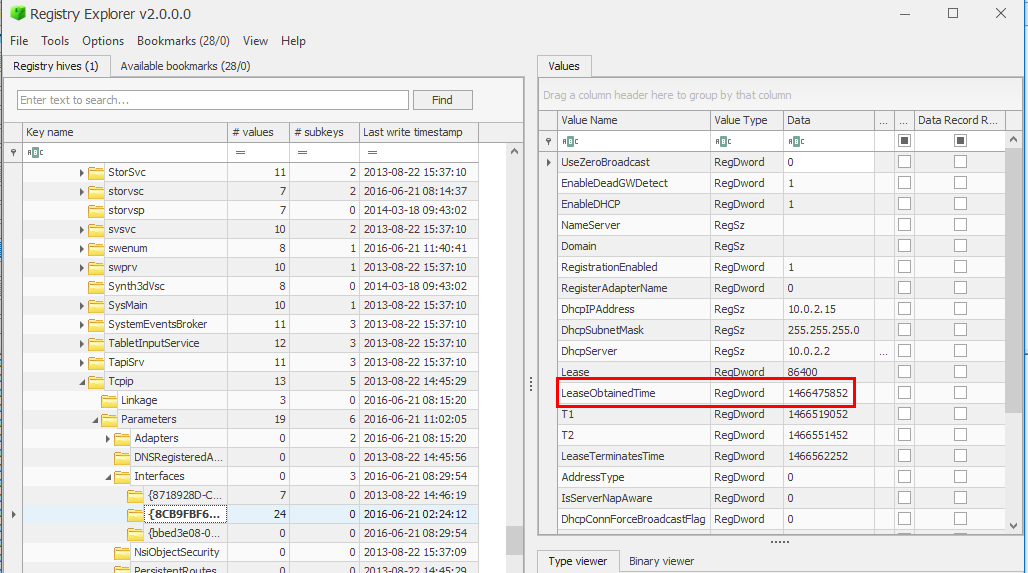
We're still on the same registry key as previous question and as you can see that DCHP Lease Obtained Time as also stored in UNIX timestamp
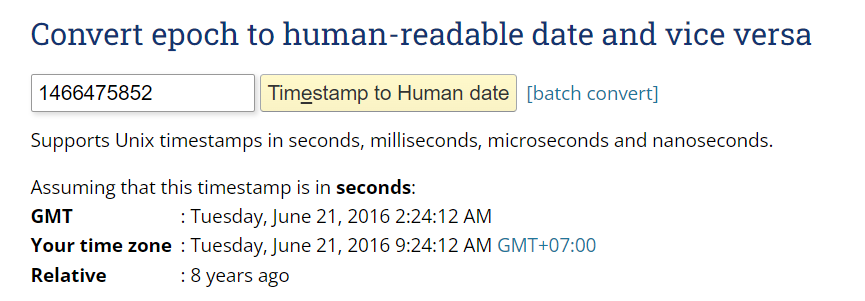
Use Epoch Converter and a little bit of formatting to answer
21/06/2016 02:24:12 UTC
Q4: What is the computer SID?
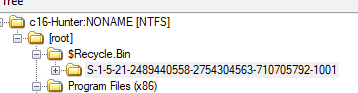
This could be obtained easily by inspecting $Recycle.Bin which stores all of user deleted files inside their associated SID which last 4 digits are user SID and the rest before that is computer SID
S-1-5-21-2489440558-2754304563-710705792
Q5: What is the Operating System(OS) version?
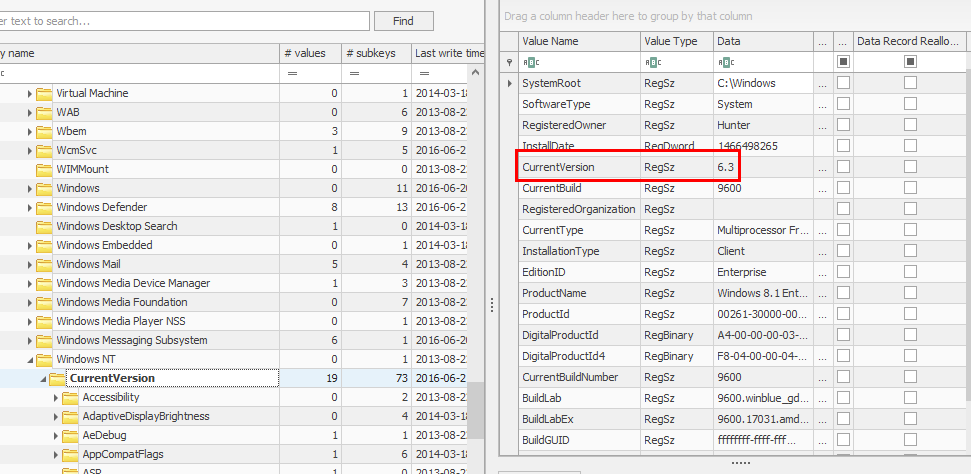
Export SOFTWARE hive then use your registry explorer to inspect this registry key HKEY_LOCAL_MACHINE\SOFTWARE\Microsoft\Windows NT\CurrentVersion which stores an information about Windows OS
6.3
Q6: What was the computer timezone?
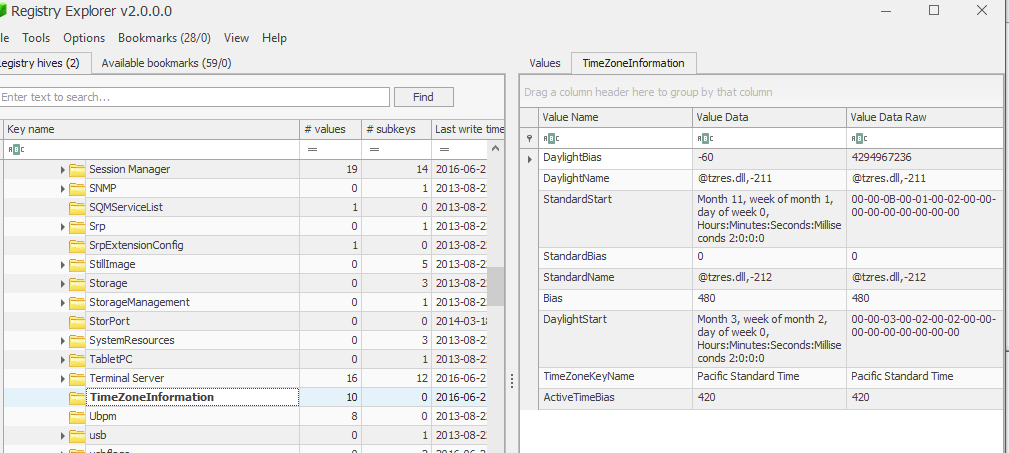
Go back to SYSTEM hive with this key HKEY_LOCAL_MACHINE\SYSTEM\CurrentControlSet\Control\TimeZoneInformation that holds timezone information
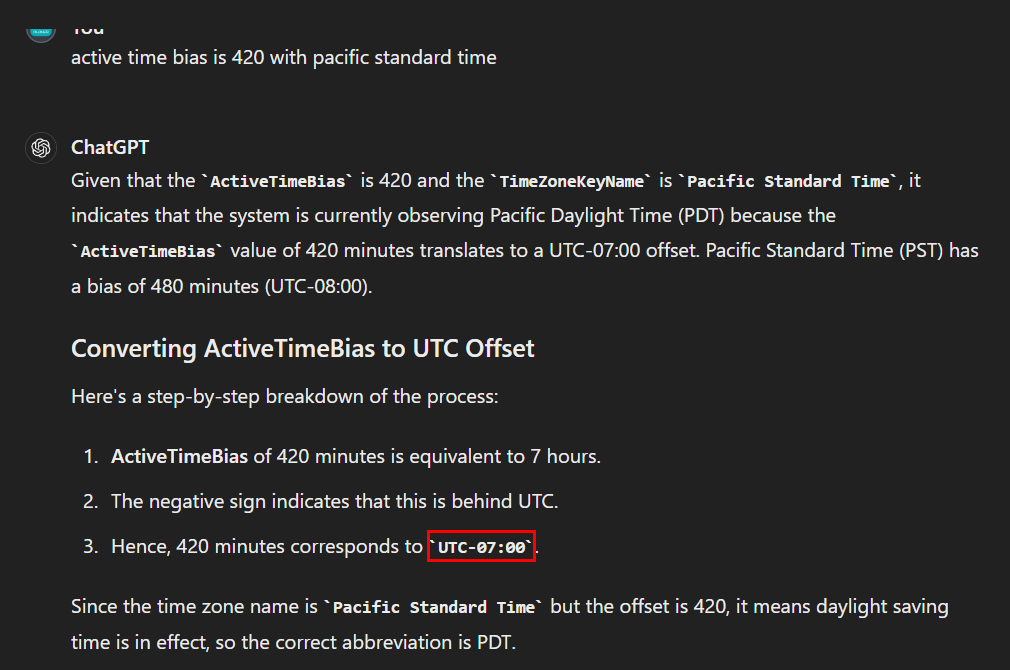
with helps from ChatGPT, that is the correct answer
UTC-07:00
Q7: How many times did this user log on to the computer?
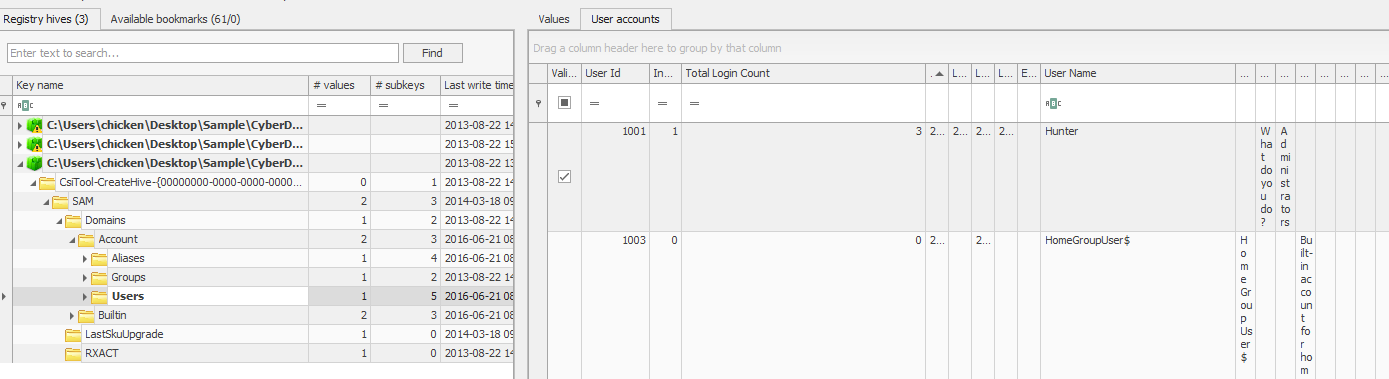
Now we will export SAM hive and inspect this key HKEY_LOCAL_MACHINE\SAM\Domains\Account\Users that stores information about Users
3
Q8: When was the last login time for the discovered account? Format: one-space between date and time
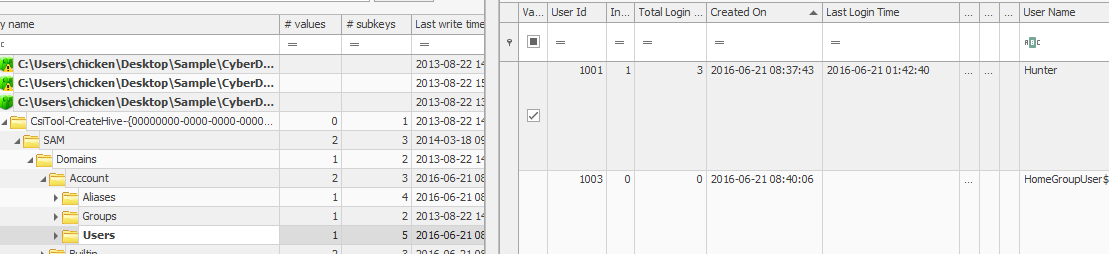
We can still use the same key to obtain this information
2016-06-21 01:42:40
Q9: There was a “Network Scanner” running on this computer, what was it? And when was the last time the suspect used it? Format: program.exe,YYYY-MM-DD HH:MM:SS UTC
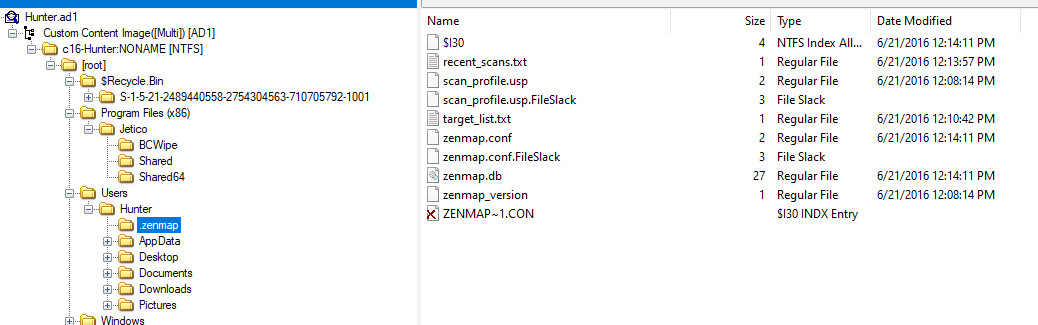
There is .zenmap folder inside Hunter user folder that mean zenmap was executed at least 1 time
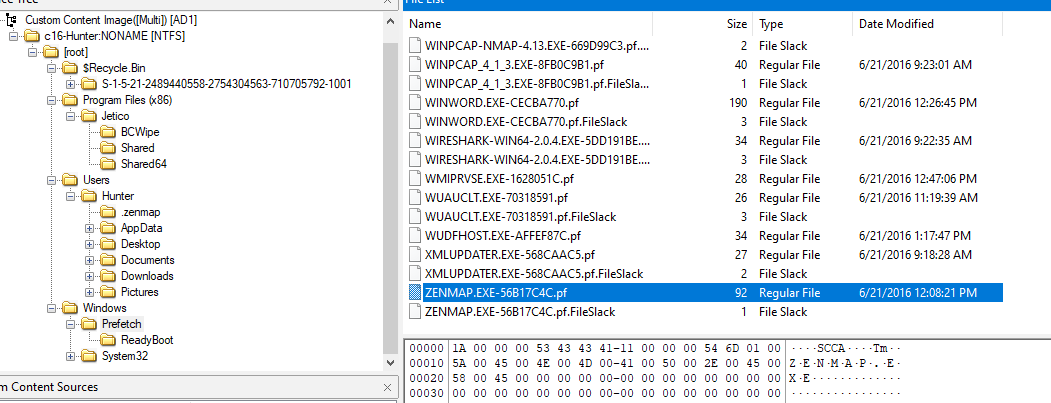
So lets export its prefetch file
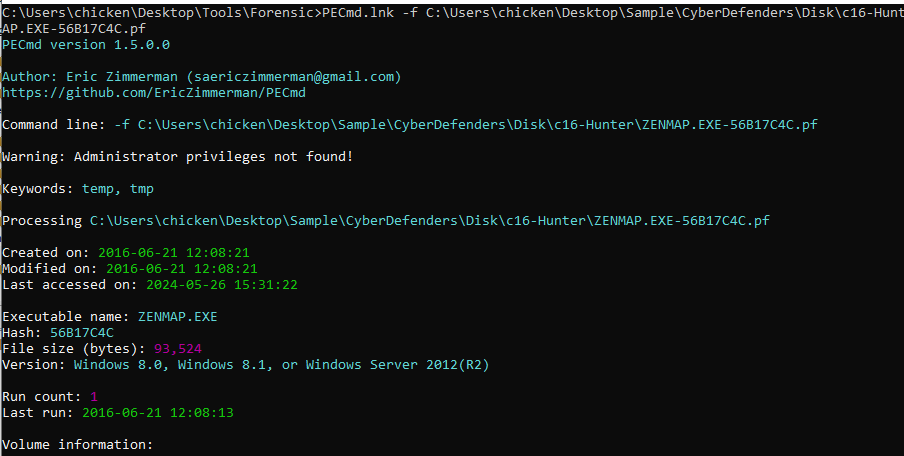
Then use PECmd.exe -f ZENMAP.EXE-56B17C4C.pf to parse this prefetch file
zenmap.exe,2016-06-21 12:08:13 UTC
Q10: When did the port scan end? (Example: Sat Jan 23 hh:mm:ss 2016)
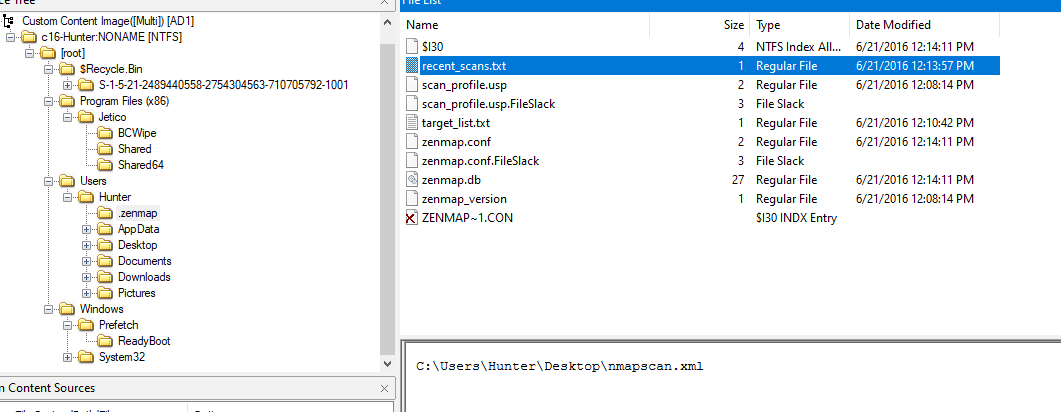
If we go back to .zenmap folder inside Hunter user folder then you will see recent_scan.txt file and it leads us to an output of nmap scan
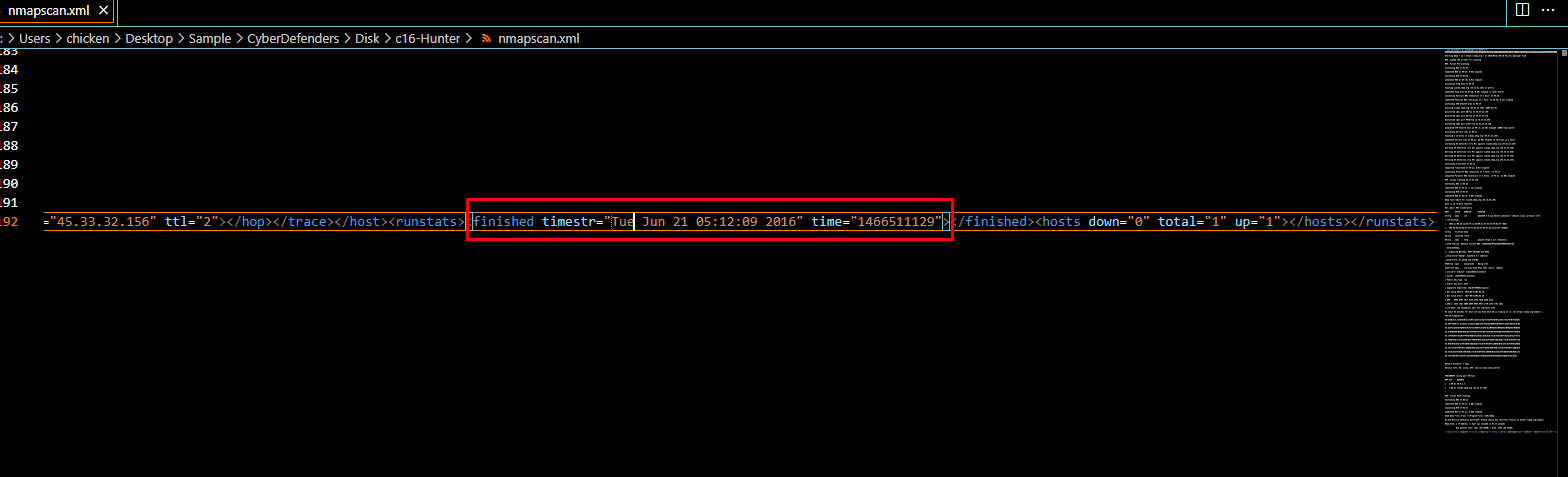
an answer should be right here
Tue Jun 21 05:12:09 2016
Q11: How many ports were scanned?

1000
Q12: What ports were found "open"?(comma-separated, ascending)
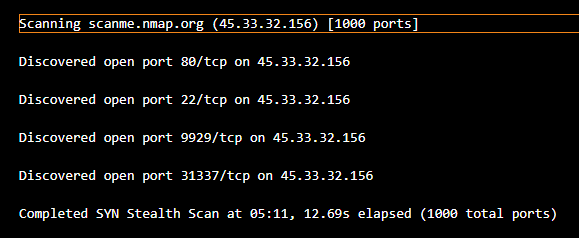
22,80,9929,31337
Q13: What was the version of the network scanner running on this computer?

7.12
Q14: The employee engaged in a Skype conversation with someone. What is the skype username of the other party?
I did some research and found a lot of blogs talking about Skype forensics (mostly vendors talking about how "THEIR" product will help us analyze them)
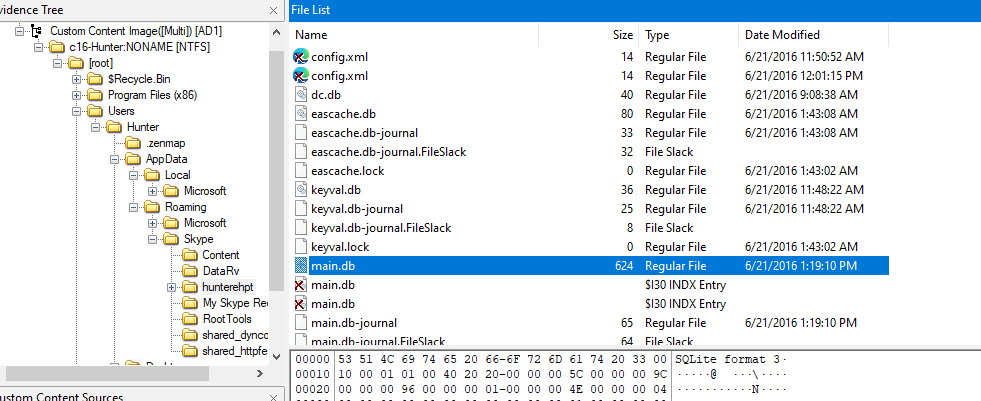
We only need to know the location of this main.db file so we can use any tool that can open SQLite 3 to proceed
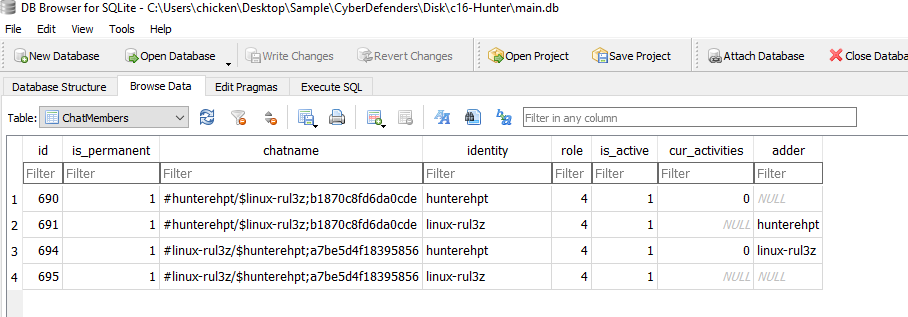
There we have user hunterrhpt which obviously an employee's username so the other one has to be other party that involved with this scenario
linux-rul3z
Q15: What is the name of the application both parties agreed to use to exfiltrate data and provide remote access for the external attacker in their Skype conversation?
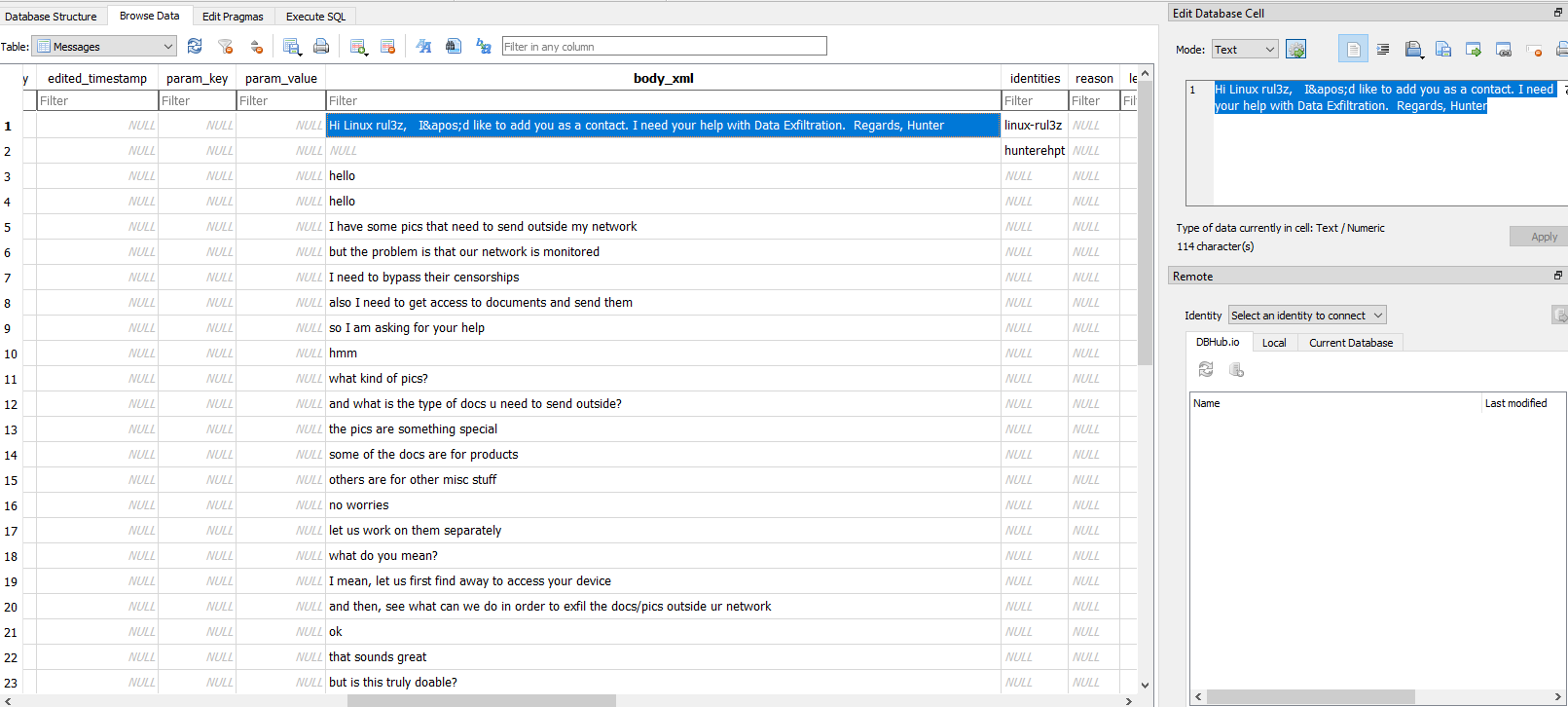
Go to Messages table then we will have full conversation between 2 parties talking about data exfiltration
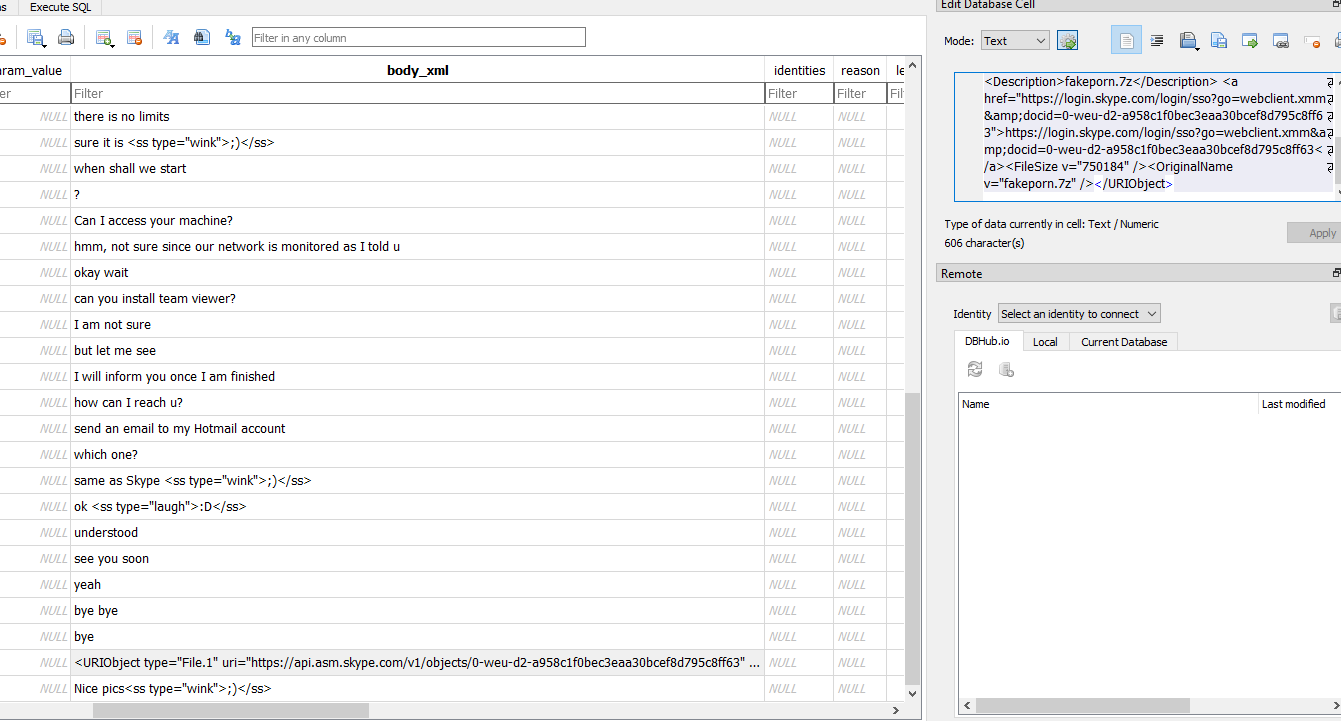
Someone recommended teamviewer for other party so it has to be this one
teamviewer
Q16: What is the Gmail email address of the suspect employee?
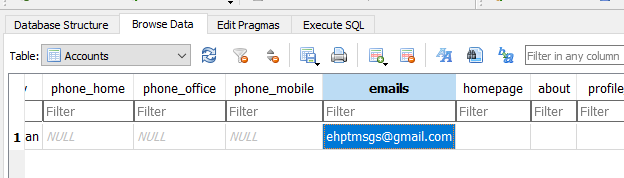
Go to Accounts table and we will have his gmail address
ehptmsgs@gmail.com
Q17: It looks like the suspect user deleted an important diagram after his conversation with the external attacker. What is the file name of the deleted diagram?
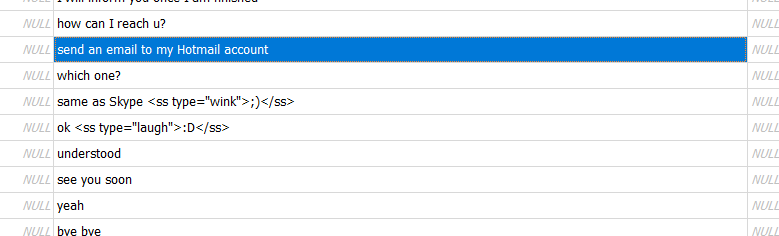
They talked about sending a file to someone's hotmail account so we need to investigate outlook if available
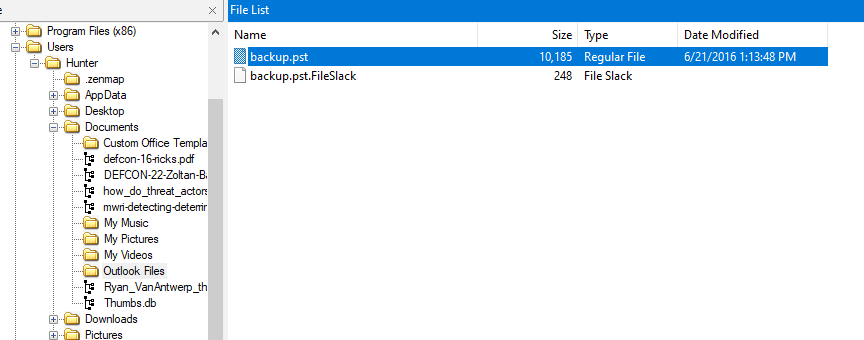
Which there is a backup in pst file inside Documents folder
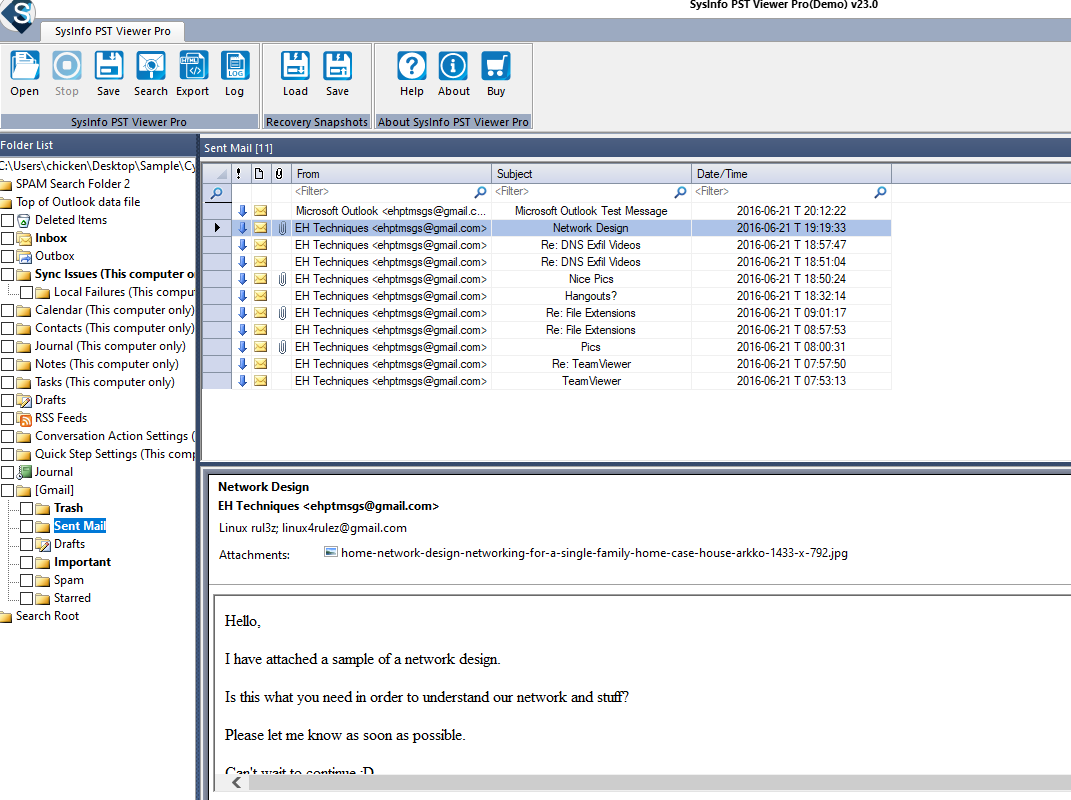
Using Sysinfo PST Viewer Pro (Demo) to read contents of it then we will have this sent mail with an image attachment of home network design for home
home-network-design-networking-for-a-single-family-home-case-house-arkko-1433-x-792.jpg
Q18: The user Documents' directory contained a PDF file discussing data exfiltration techniques. What is the name of the file?
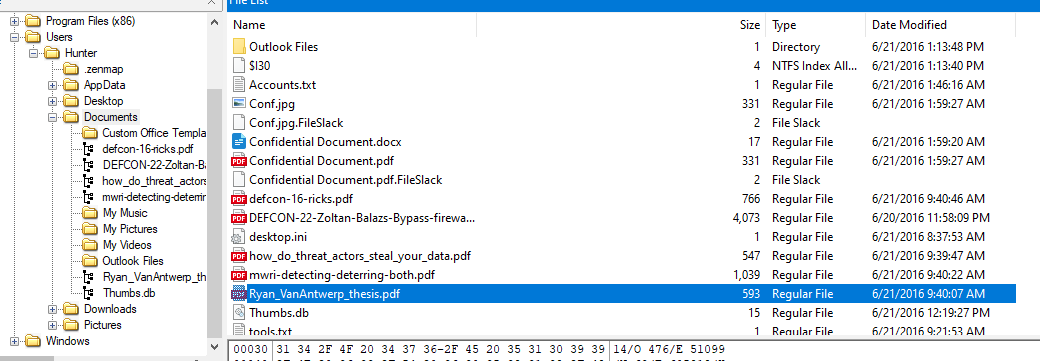
There is a file named after someone thesis so I think it worth looking for
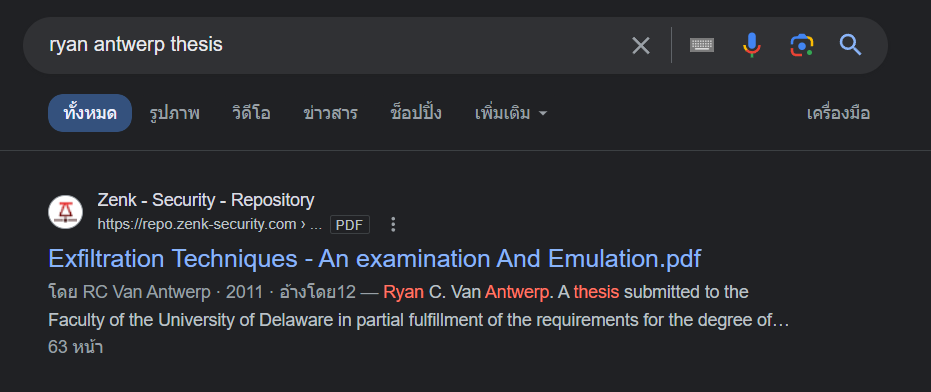
Which is a goldmine for data exfiltration techniques, you can read one
Ryan_VanAntwerp_thesis.pdf
Q19: What was the name of the Disk Encryption application Installed on the victim system? (two words space separated)
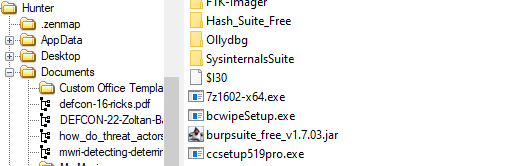
There is an installer named bcwipeSetup.exe inside Downloads folder
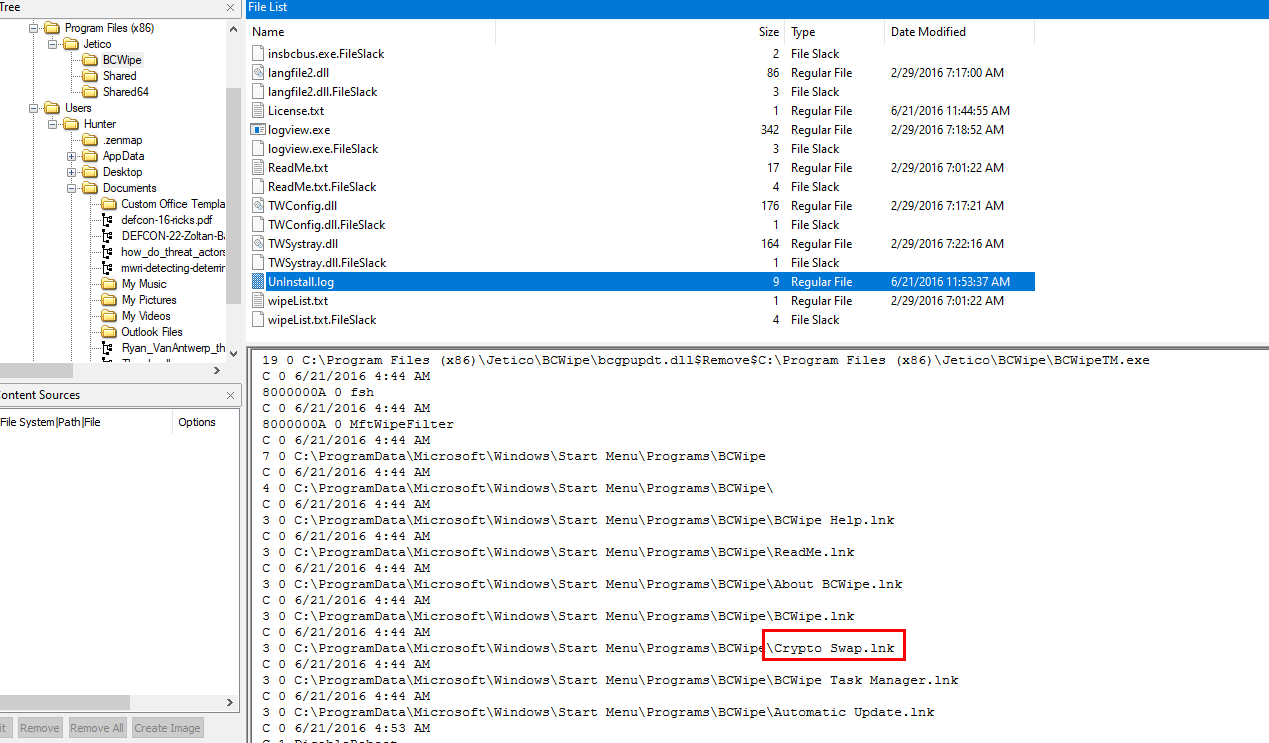
Which confirmed that it was been installed and also uninstalled from the log and this one look like it could encrypt something as its name stated
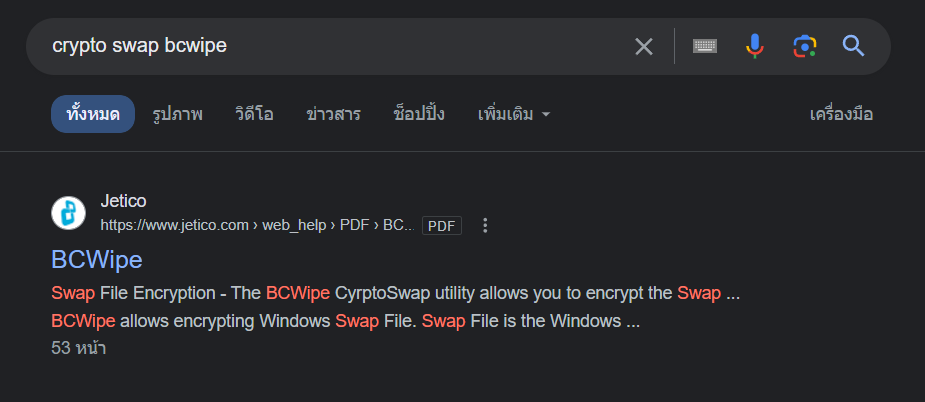
And it is the one we're looking for
Crypto Swap
Q20: What are the serial numbers of the two identified USB storage?
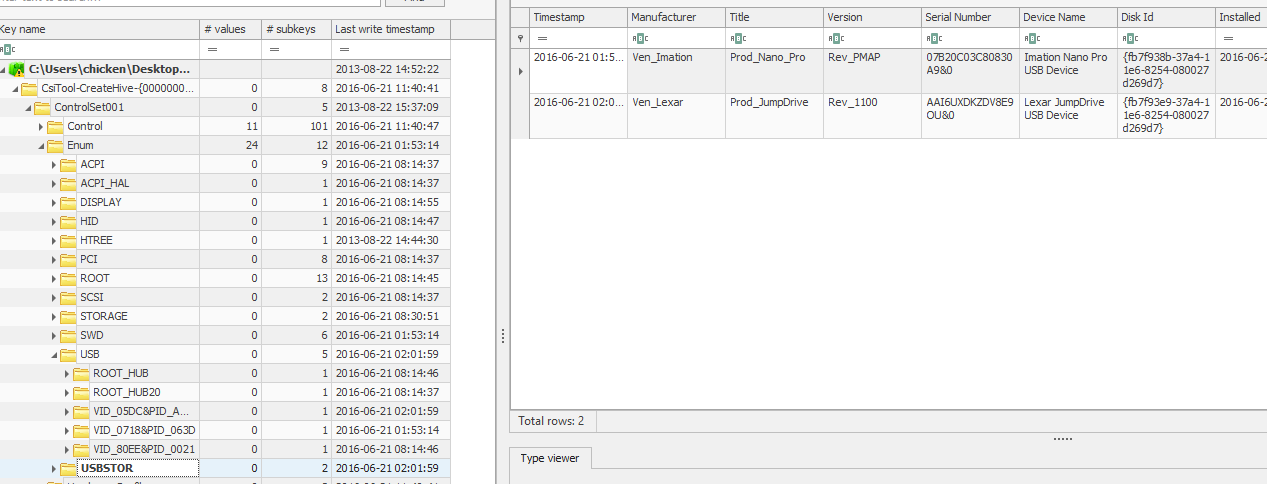
We can obtain both serial numbers by inspecting HKEY_LOCAL_MACHINE\SYSTEM\CurrentControlSet\Enum\USBSTOR key
07B20C03C80830A9&0,AAI6UXDKZDV8E9OU&0
Q21: One of the installed applications is a file shredder. What is the name of the application? (two words space separated)
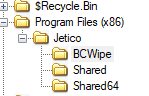
Obviously BCWipe but we have to put vendor name at the front
Jetico BCwipe
Q22: How many prefetch files were discovered on the system?

Export prefetch folder then parse it with PECmd.exe -d .\Prefetch\ --csv Hunter.csv then we will have 174 prefetch files processed and stored in csv file
174
Q23: How many times was the file shredder application executed?
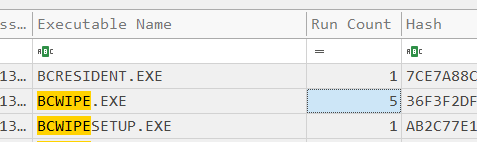
Open a csv file we got from previous question and search for BCWIPE, we should have run count of this executable file (I thought it was eraser since its installer also in Downloads folder but whatever)
5
Q24: Using prefetch, determine when was the last time ZENMAP.EXE-56B17C4C.pf was executed?

Search for Zenmap executable and we will have a time from Last Run column
06/21/2016 12:08:13 PM
Q25: A JAR file for an offensive traffic manipulation tool was executed. What is the absolute path of the file?
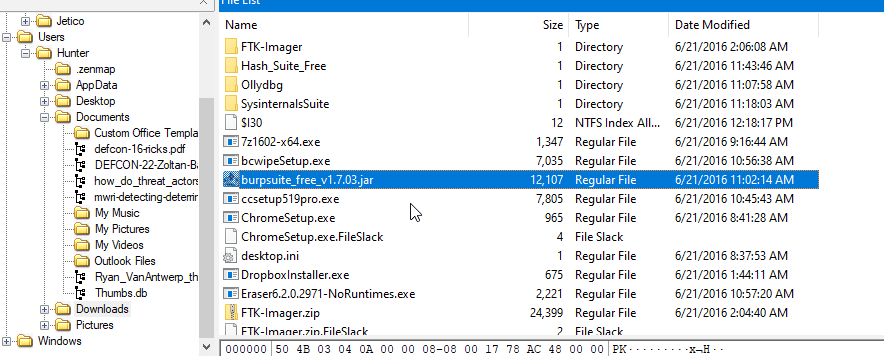
Only jar file was found inside Downloads folder
C:\Users\Hunter\Downloads\burpsuite_free_v1.7.03.jar
Q26: The suspect employee tried to exfiltrate data by sending it as an email attachment. What is the name of the suspected attachment?
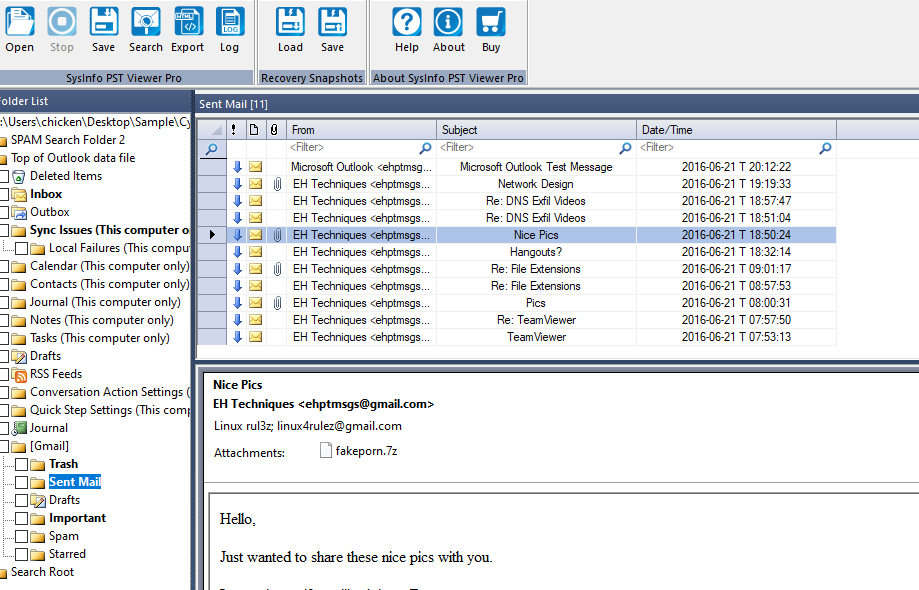
Back to PST viewer then we can see that an employee send exfiltrate data as a fakeporn in 7zip file
fakeporn.7z
Q27: Shellbags shows that the employee created a folder to include all the data he will exfiltrate. What is the full path of that folder?
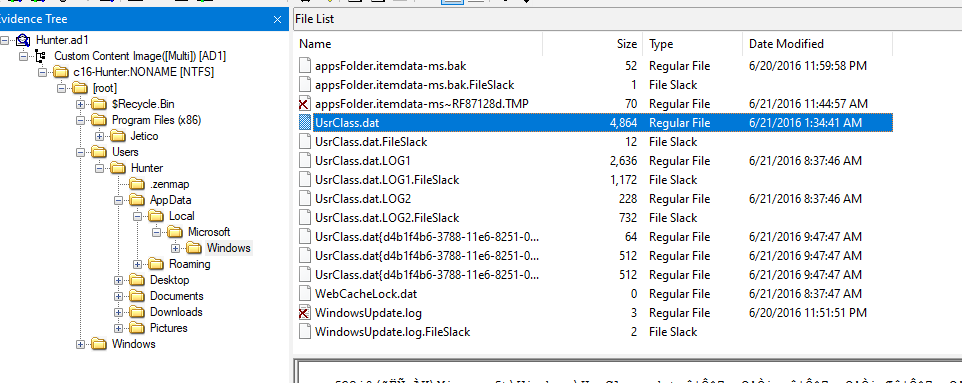
To process ShellBags, we need to extract UsrClass.dat hive first
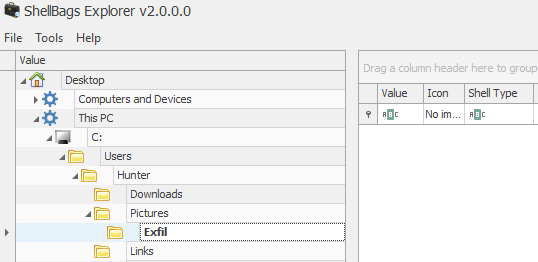
Then use ShellBags Explorer than we can see that there is Exfil folder under Pictures folder there
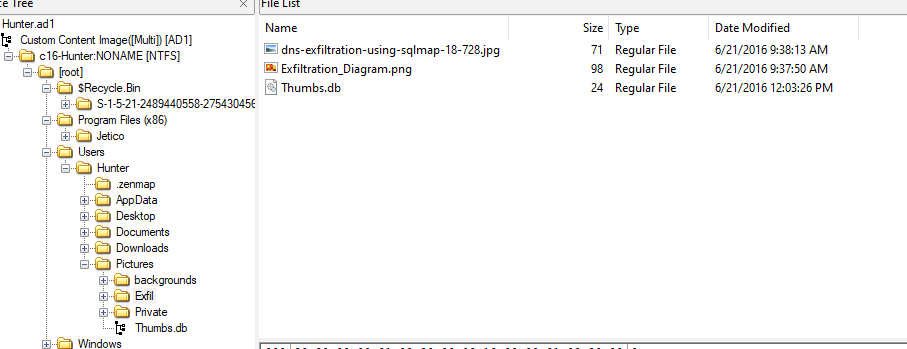
Confirming it existence by visiting it and its actually there
C:\Users\Hunter\Pictures\Exfil
Q28: The user deleted two JPG files from the system and moved them to $Recycle-Bin. What is the file name that has the resolution of 1920x1200?
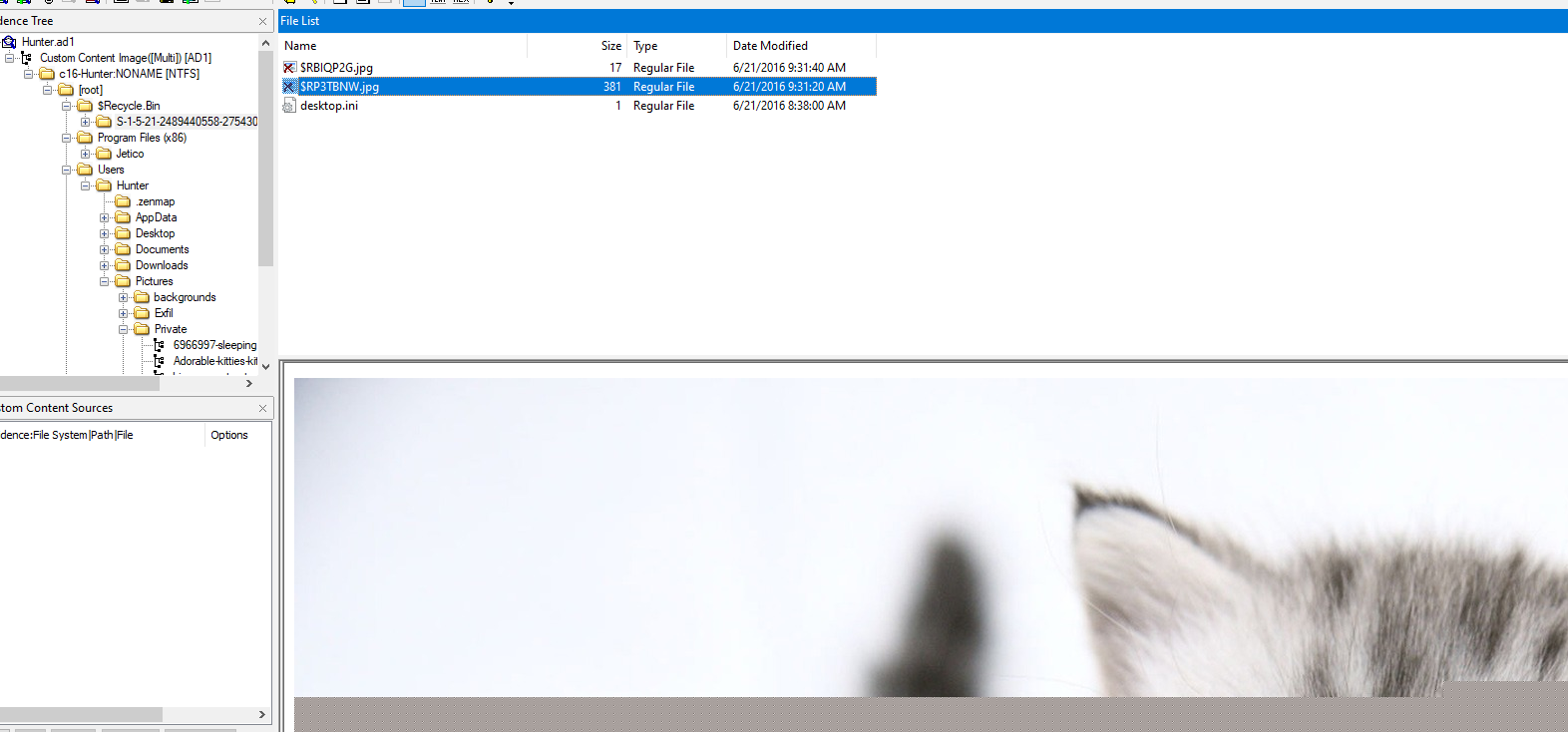
There are 2 image files inside $Recycle.Bin, the larger one should have the higher resolution
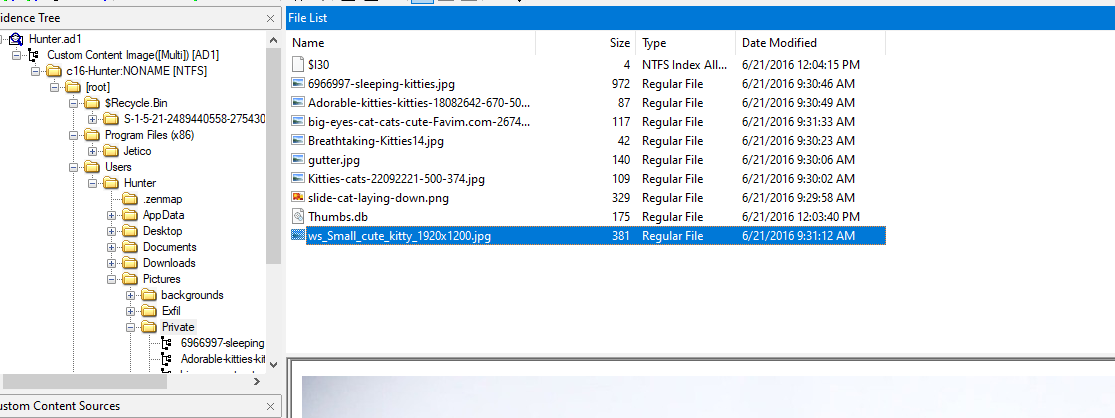
luckily the same file could still be found under Private folder
ws_Small_cute_kitty_1920x1200.jpg
Q29: Provide the name of the directory where information about jump lists items (created automatically by the system) is stored?
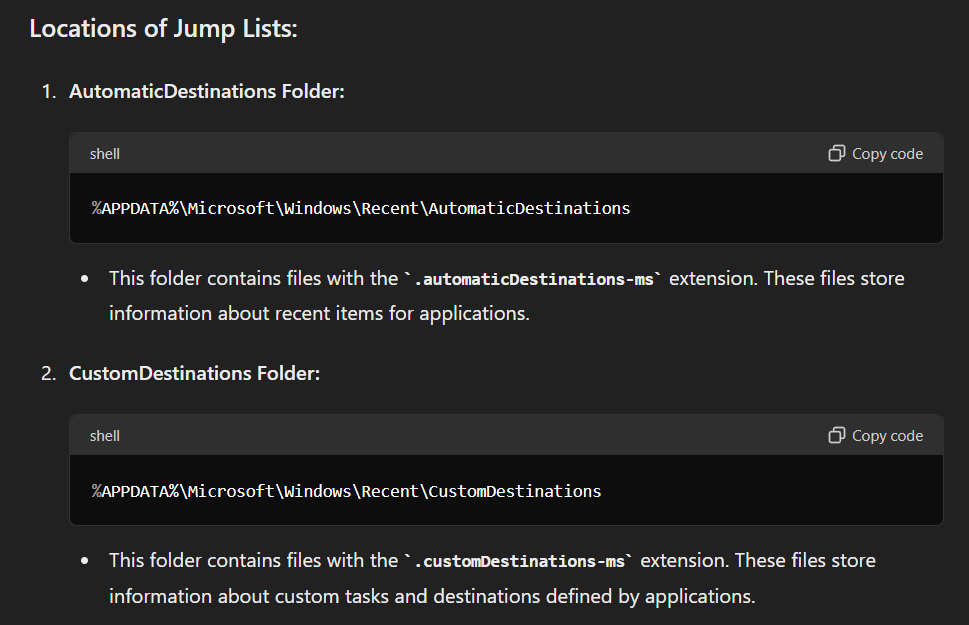
Here are the locations, we could get Jump lists items and the first one is created automatically by the system
AutomaticDestinations
Q30: Using JUMP LIST analysis, provide the full path of the application with the AppID of "aa28770954eaeaaa" used to bypass network security monitoring controls.
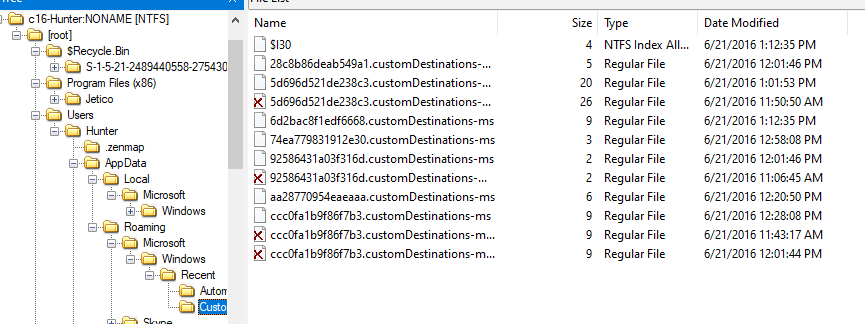
This item was located under CustomDestinations folder
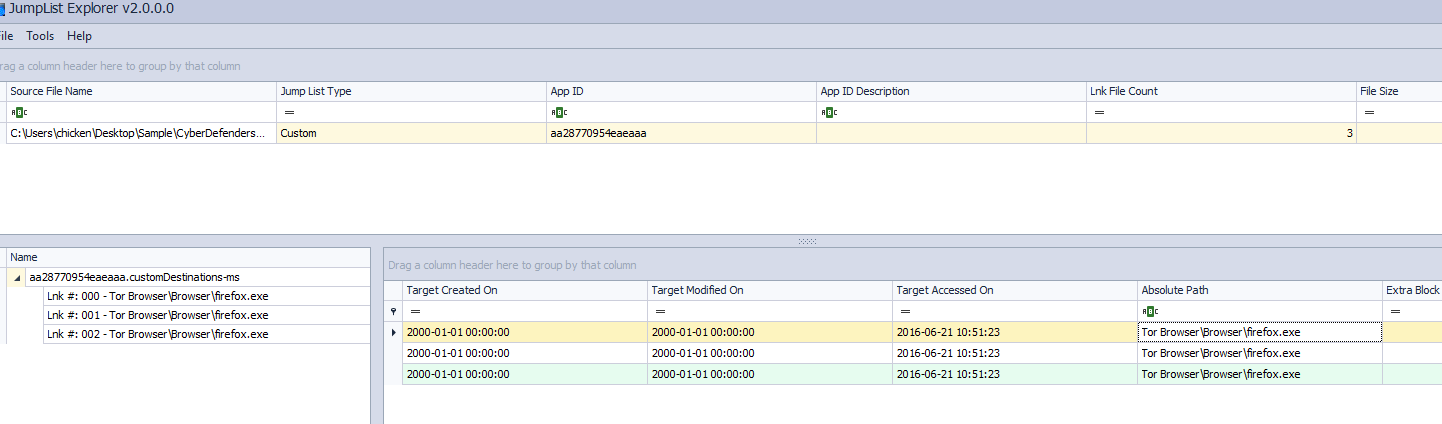
Export it and use JumpList Explorer to parse it then we have half of absolute path here
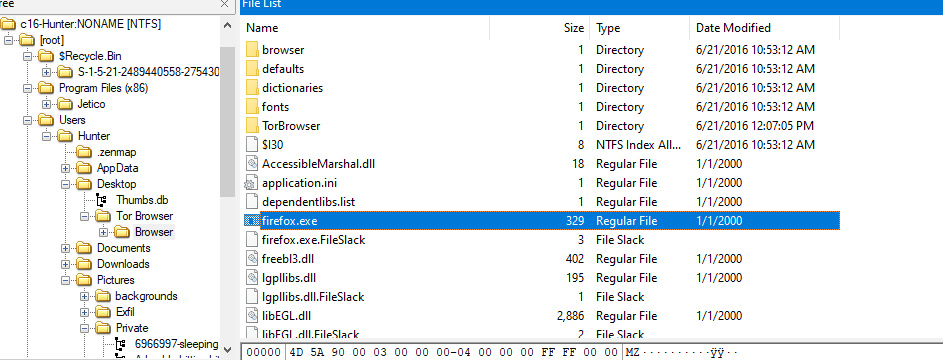
Confirming it existence and then we will have absolute path of this file
C:\Users\Hunter\Desktop\Tor Browser\Browser\firefox.exe
https://cyberdefenders.org/blueteam-ctf-challenges/achievements/Chicken_0248/hunter/